
As reported on November 19, 2026, Canva announced two controls for Free and Pro users: one to hide supported generative AI features across the app, and another to show less AI-generated content in library search results and recommendations. Canva said both controls are available at no additional cost and can be changed at any time.
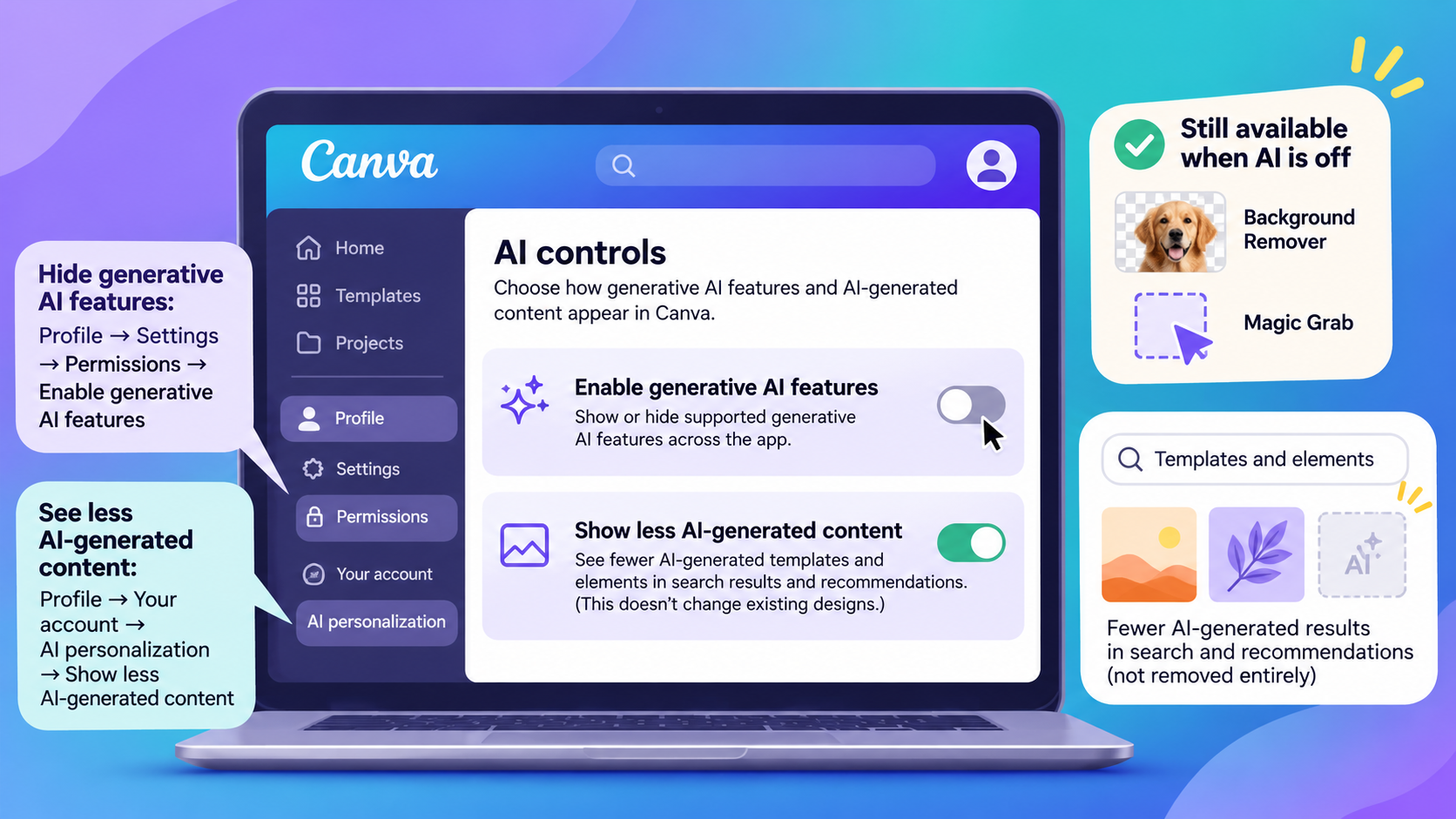
To hide supported generative AI features, go to Profile → Settings → Permissions and switch off Enable generative AI features. To reduce AI-generated templates and design elements shown while browsing, go to Profile → Your account → AI personalization and enable the option to show less AI-generated content. Canva said the content setting does not change existing designs.
The feature switch does not disable every tool that uses AI. Canva said Background Remover and Magic Grab remain available because they edit material already in a design rather than generate new content. According to Canva, using those tools also does not add an AI-generated-content label to a design’s metadata.
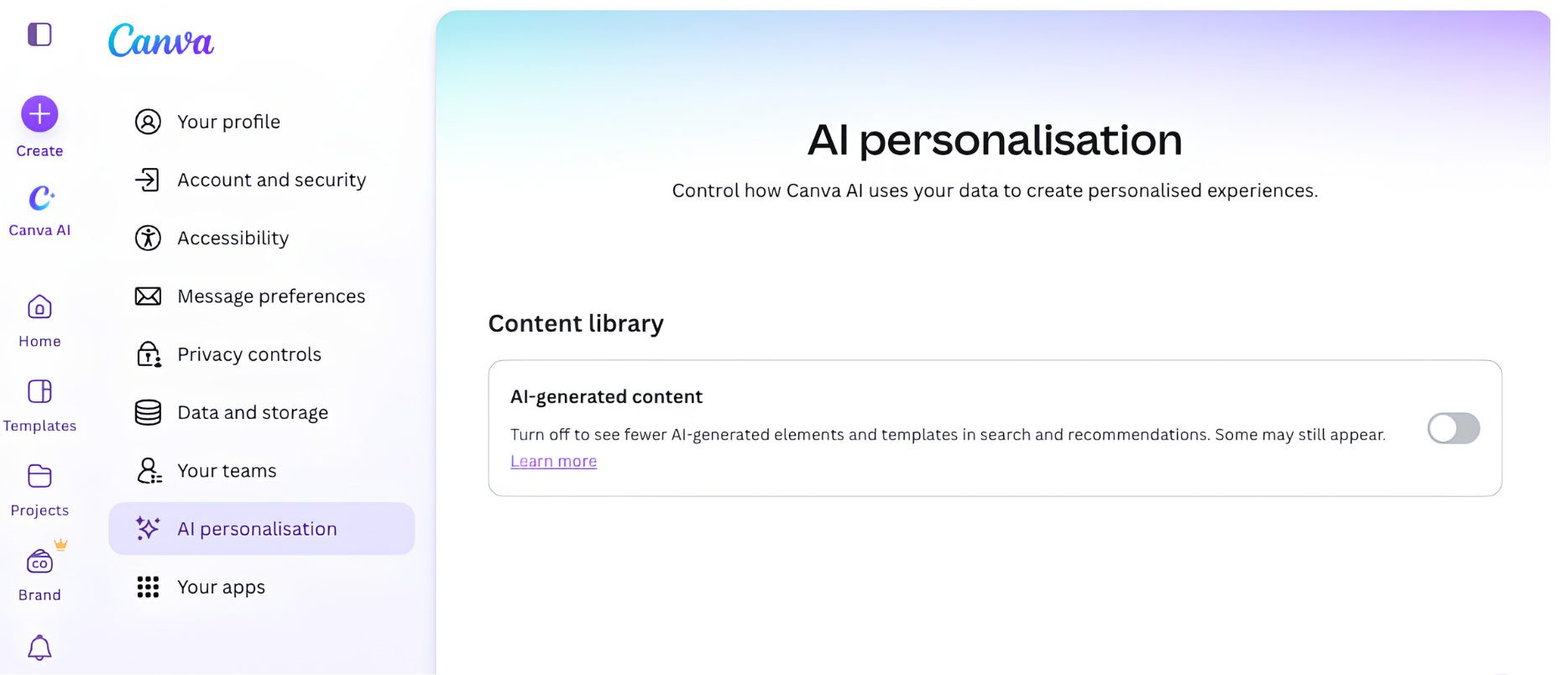
Canva said a small portion of its design library consists of AI-generated content made by the company, including some abstract backgrounds and illustrated graphics. The new content control reduces how often AI-generated templates and elements appear in search results and recommendations; Canva did not describe it as removing them entirely.
These user-facing settings extend beyond the AI permissions Canva said were already available to administrators of Business, Enterprise, Teams and Education accounts.