
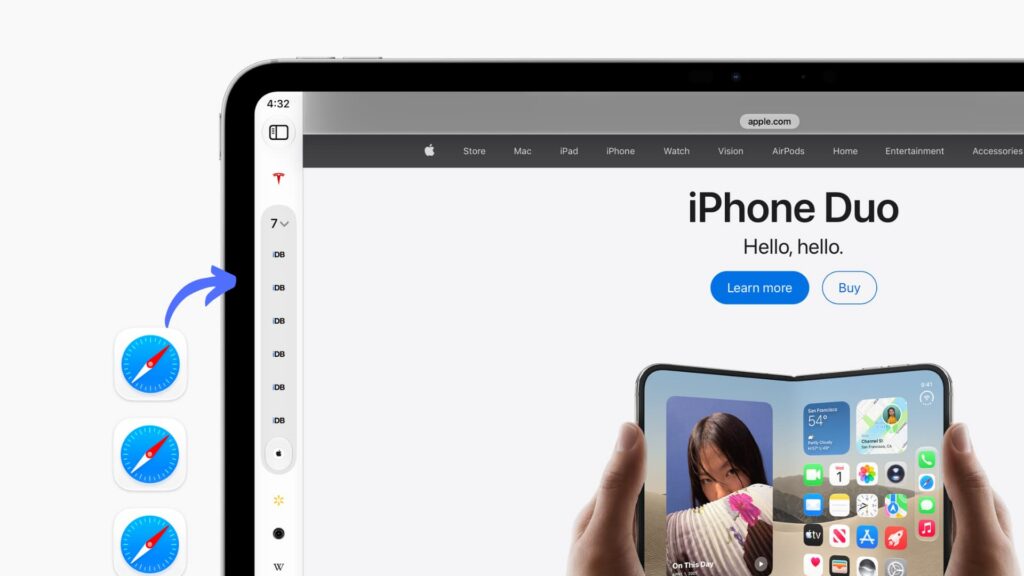
As reported on November 6, 2026, Safari’s vertical tab layout was available in beta versions of iPadOS 27.3 and macOS 27.3. It moves open tabs from the top of the window to a column on the left. The report also lists support for the iPhone Duo running iOS 27.3 or later, but does not provide iPhone setup steps. The listed software versions were still in beta at the time of reporting.
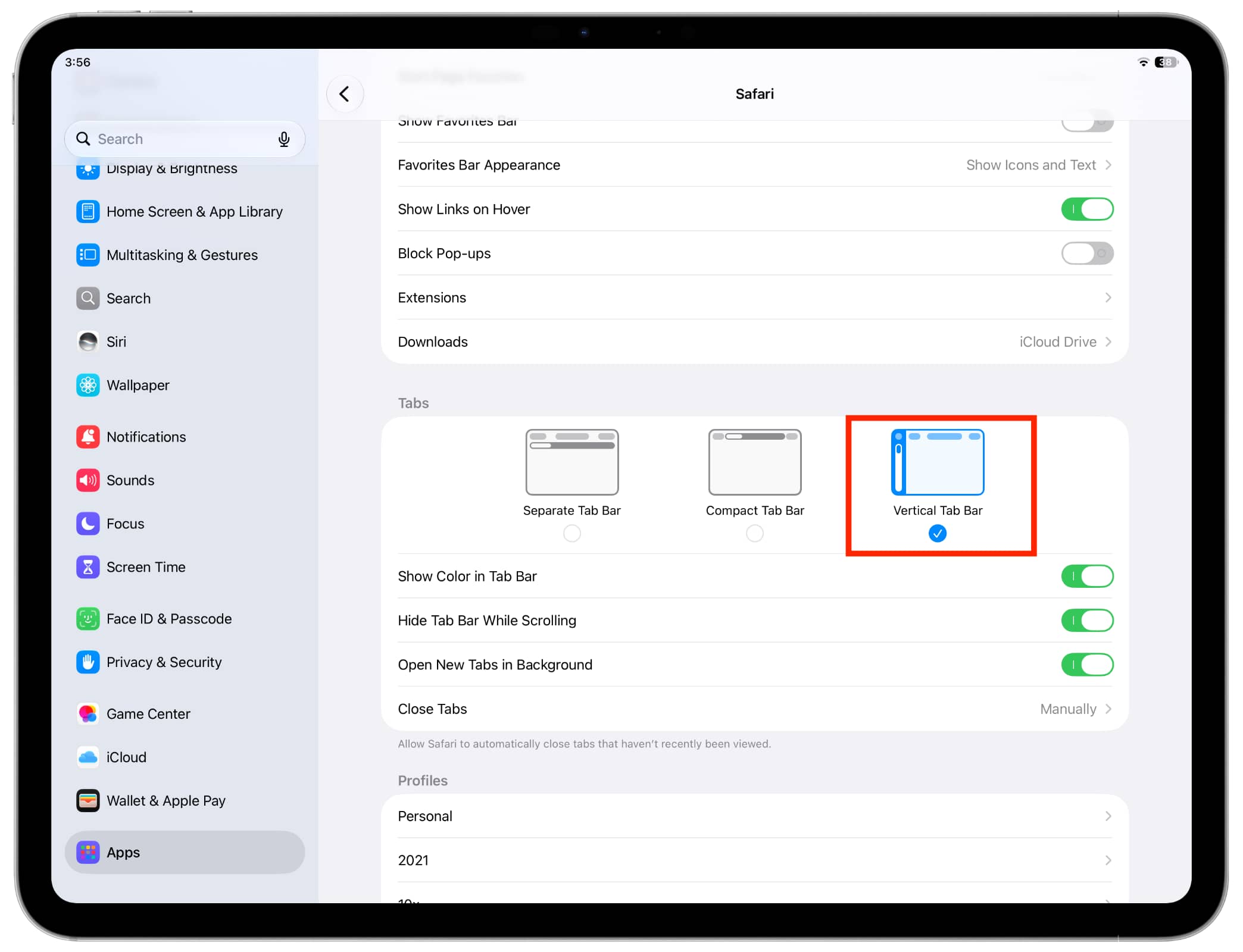
Enable vertical tabs on iPad
- Update to iPadOS 27.3 or later.
- Open Settings → Apps → Safari.
- Select Vertical Tab Bar.


In Safari, open tabs and tab topics then appear along the left edge. Touch and hold a tab icon for additional actions. Tap the double-arrow button at the bottom to expand the column and see tab names, or to access another Tab Group, a Private window or a browser profile. With the column expanded, drag its edge to resize it.

Enable vertical tabs on Mac
- Update to macOS 27.3 or later.
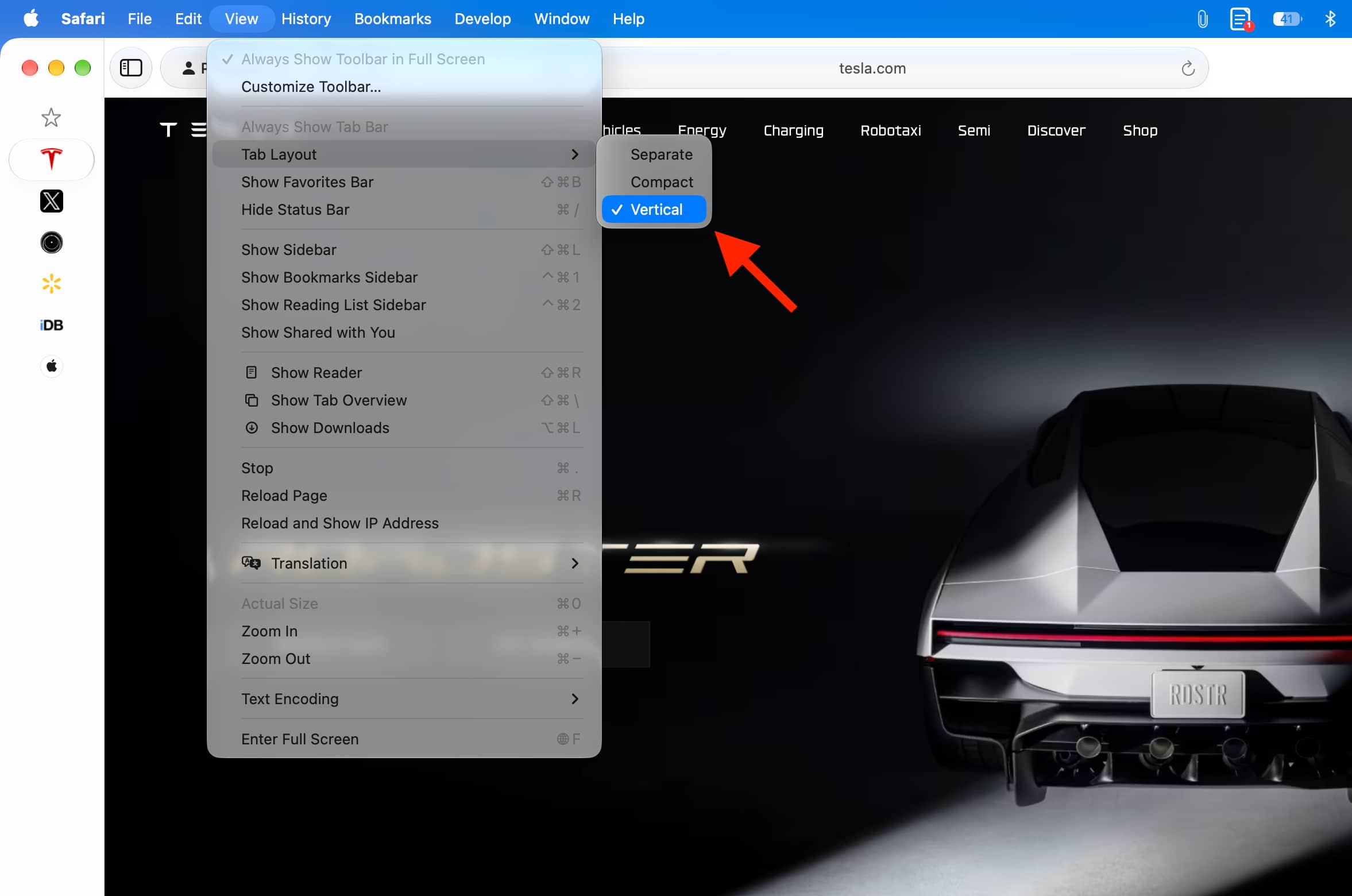
- In Safari, choose View → Tab Layout → Vertical.
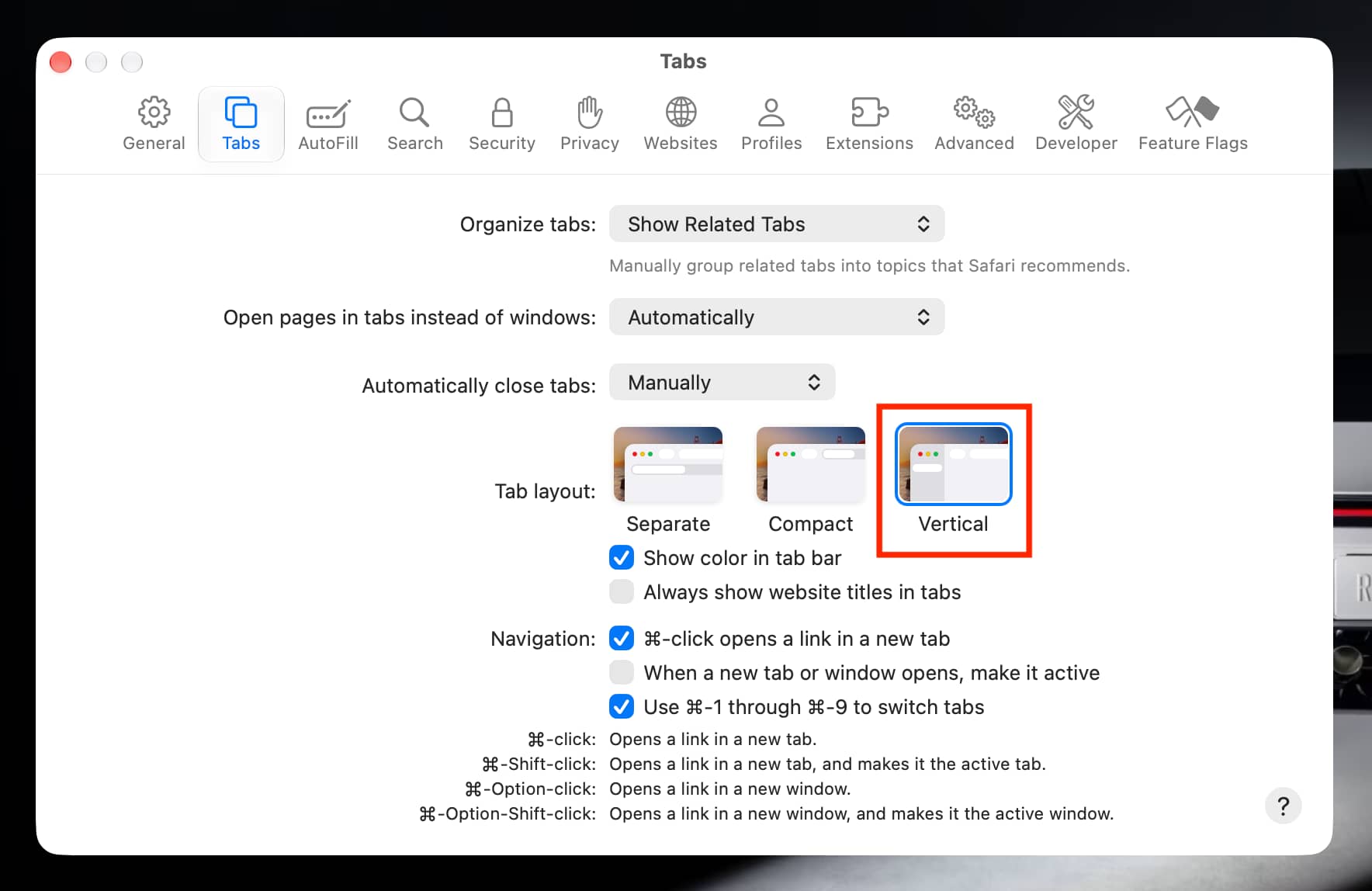
Alternatively, open Safari → Settings → Tabs and select Vertical Tab Layout. Right-click a tab icon to access tab actions.

The compact layout shows site icons rather than tab names, which can make several pages from the same site harder to distinguish at a glance. The sidebar also leaves less horizontal space for web content. On iPad and Mac, the layout can be selected separately in Safari’s settings.