
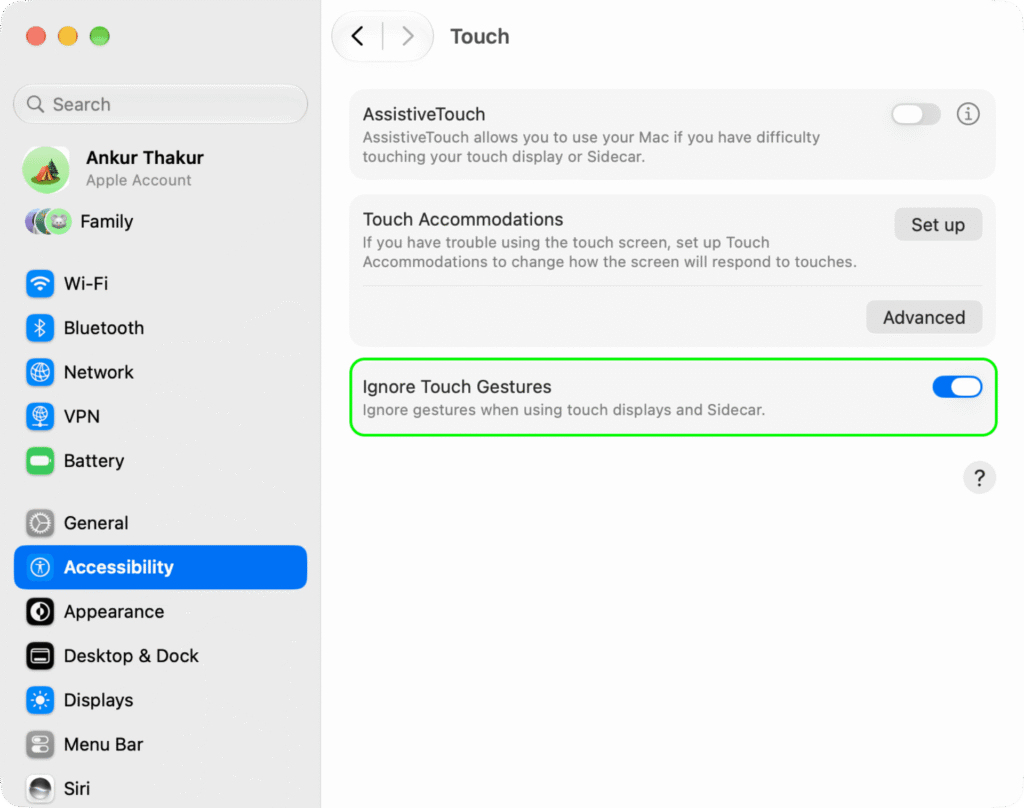
In a November 12, 2026 guide, iDownloadBlog describes an accessibility setting for disabling touch input on the 2026 MacBook Pro with a PROLED XDR display. The setting may be useful if you prefer the trackpad or want to avoid accidental touches while cleaning the screen.
- Open System Settings.
- Select Accessibility in the sidebar.
- Under Physical and Motor, select Touch.
- Turn on Ignore Touch Gestures.
According to the guide, this also disables finger taps and gestures on an iPad being used as a secondary display through Sidecar. You can still move the Mac pointer onto the iPad and control it that way.
To restore touch input, return to System Settings → Accessibility → Touch and turn off Ignore Touch Gestures.