
A Linux server can execute a short-lived process before a monitoring script has time to inspect it. In an article published on November 11, 2026, FreeBuf compared nine approaches to recording command execution and warned against treating process snapshots or user-space hooks as complete audit trails.
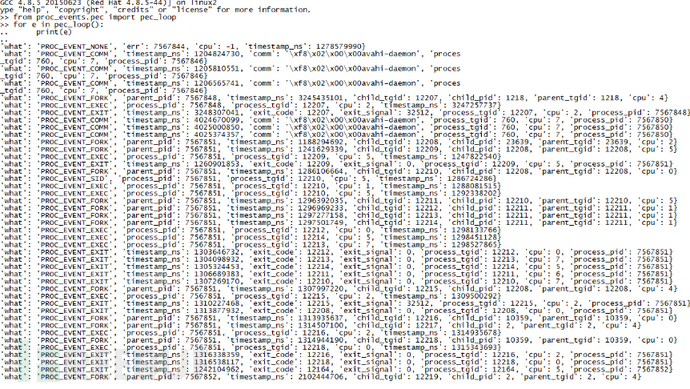
The practical distinction is when and where an observation is made. /proc describes processes that still exist; process accounting writes a record after a process exits; auditd and eBPF can observe execution events as they occur. Each produces different evidence.
| Approach | What it is useful for | Limitation highlighted in the article |
|---|---|---|
/proc |
Investigating a process whose PID is known | A snapshot, not a history |
psacct |
Reviewing completed processes | Records are written after exit and may omit important command details |
| Netlink Connector | Receiving process-event notifications | Reading /proc/<pid>/cmdline afterward creates a race with short-lived processes |
LD_PRELOAD hooks |
Observing selected dynamically linked programs | Static binaries and direct system calls can bypass a libc hook |
strace or user-space syscall tracing |
Investigating a specific process | Per-process scope and substantial overhead |
| Kernel syscall hooks | Specialized research or custom-kernel work | Kernel and maintenance risks |
| auditd | Retaining structured execution records | Rules and log retention must be configured |
| eBPF | Filtering and correlating execution events in real time | Output depends on the hook and fields the program captures |

The article recommends auditd for an underlying audit trail and eBPF for targeted, contextual monitoring, with process accounting as a supplementary view. Its sample audit rule watches execve and execveat on the b64 architecture and tags matching records executed-process; ausearch -k executed-process can then retrieve them. Although the article says to cover both 32- and 64-bit execution, the printed example contains only a b64 rule. Administrators should not assume that copying that single line provides both.
The eBPF example attaches to syscalls:sys_enter_execve and prints the PID, parent PID, process name and executable filename. It does not print the full argument list, so it should not be read as a complete record of every command line. The article also advises using eBPF alongside auditd or journald rather than as the sole retained audit record.
For incident-response planning, the useful takeaway is to test the evidence each method actually preserves—including short-lived processes and the fields needed for an investigation—before relying on it. None of the approaches described is, by itself, a complete view of all process behavior.