
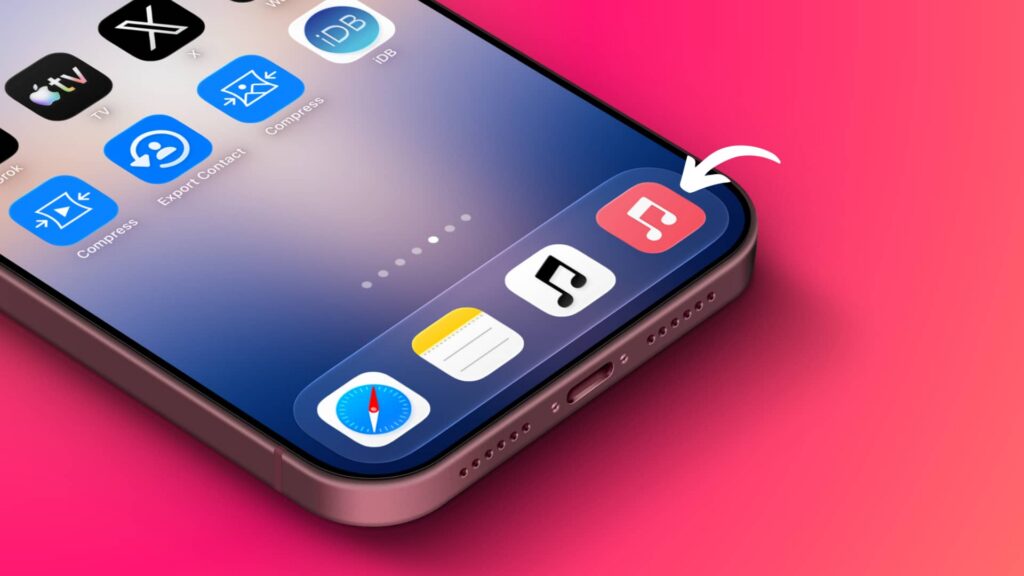
In a guide published November 3, 2026 (UTC+8), iDownloadBlog reported that iOS 27 and iPadOS 27 replaced the red Apple Music icon with a black-and-white one. Music does not offer a setting to switch back, but you can use Apple Shortcuts to put a red icon on your Home Screen. This changes the Home Screen shortcut, not the Music app’s icon.
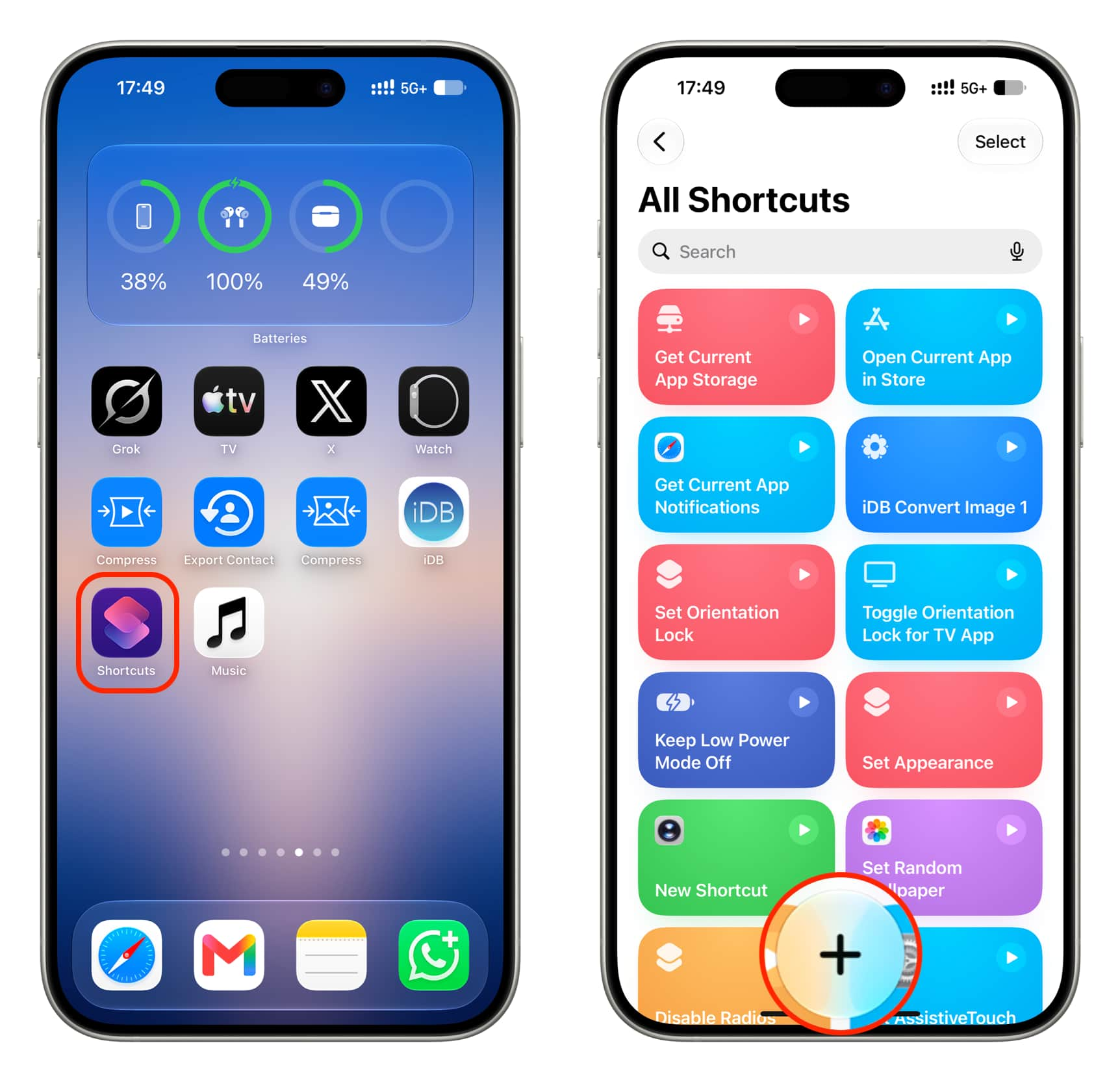
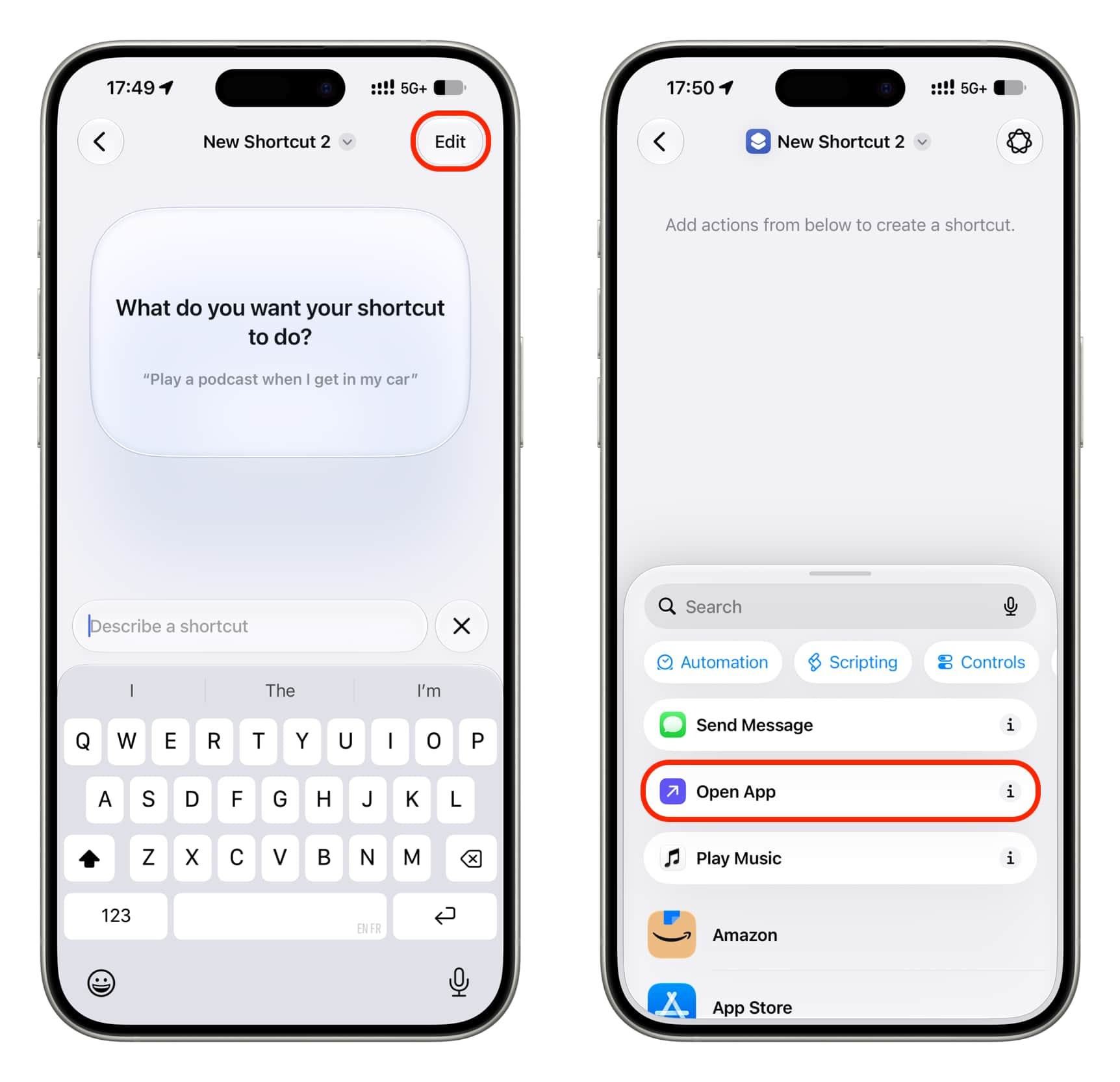
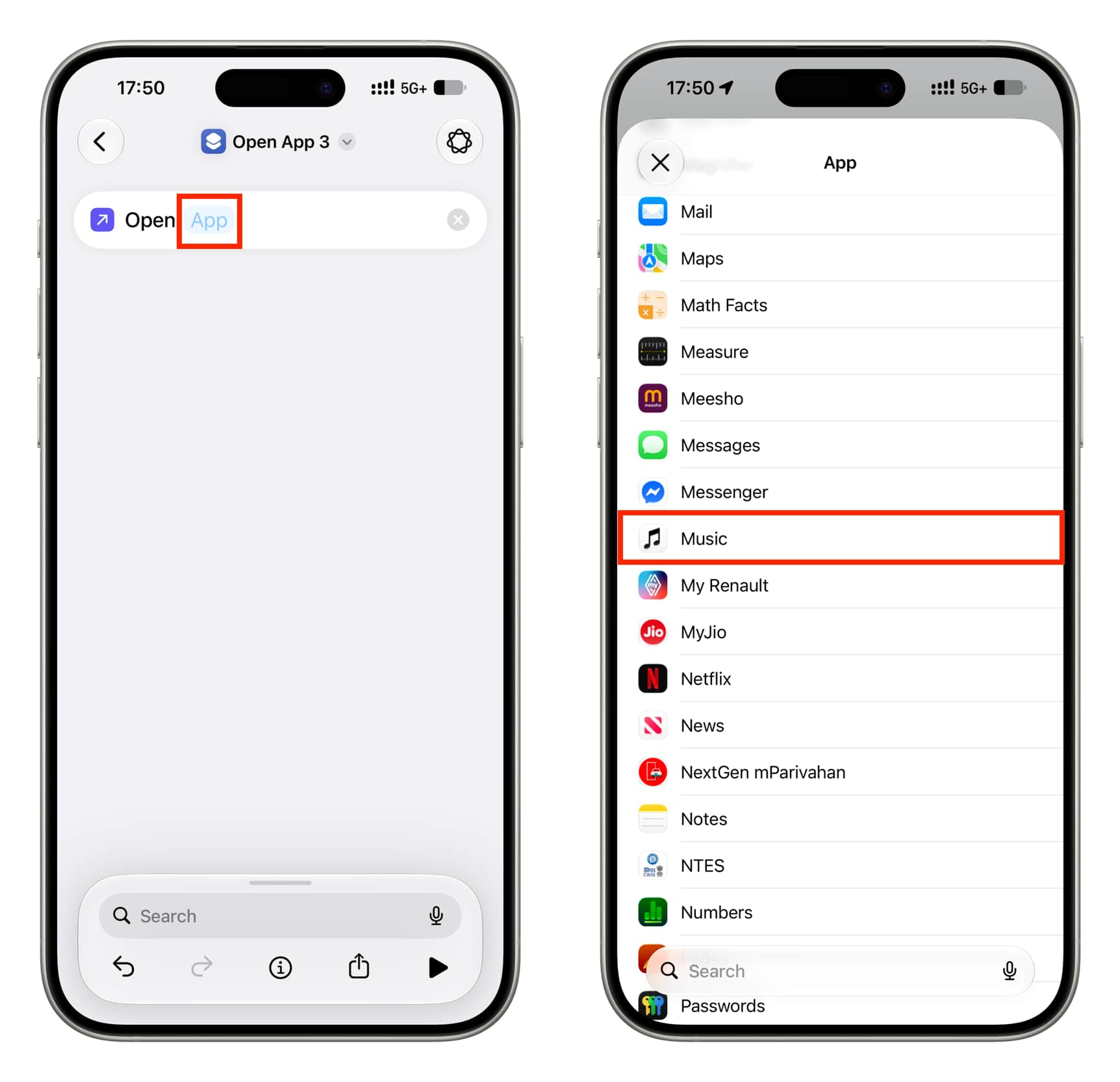
- Open Shortcuts and tap +. Tap Edit to bypass the AI shortcut builder, then select Open App.
- Tap the blue App placeholder and choose Music.
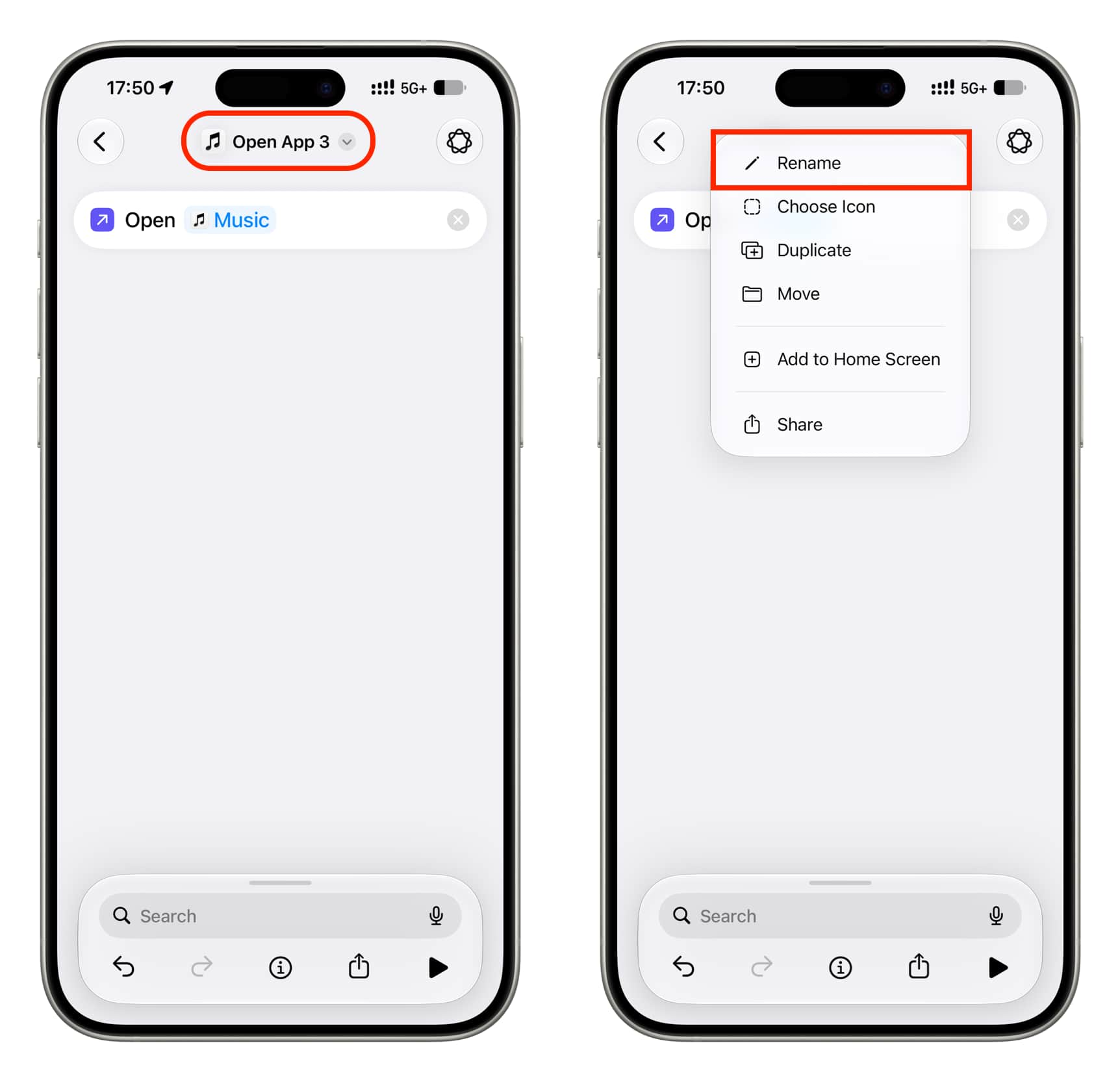
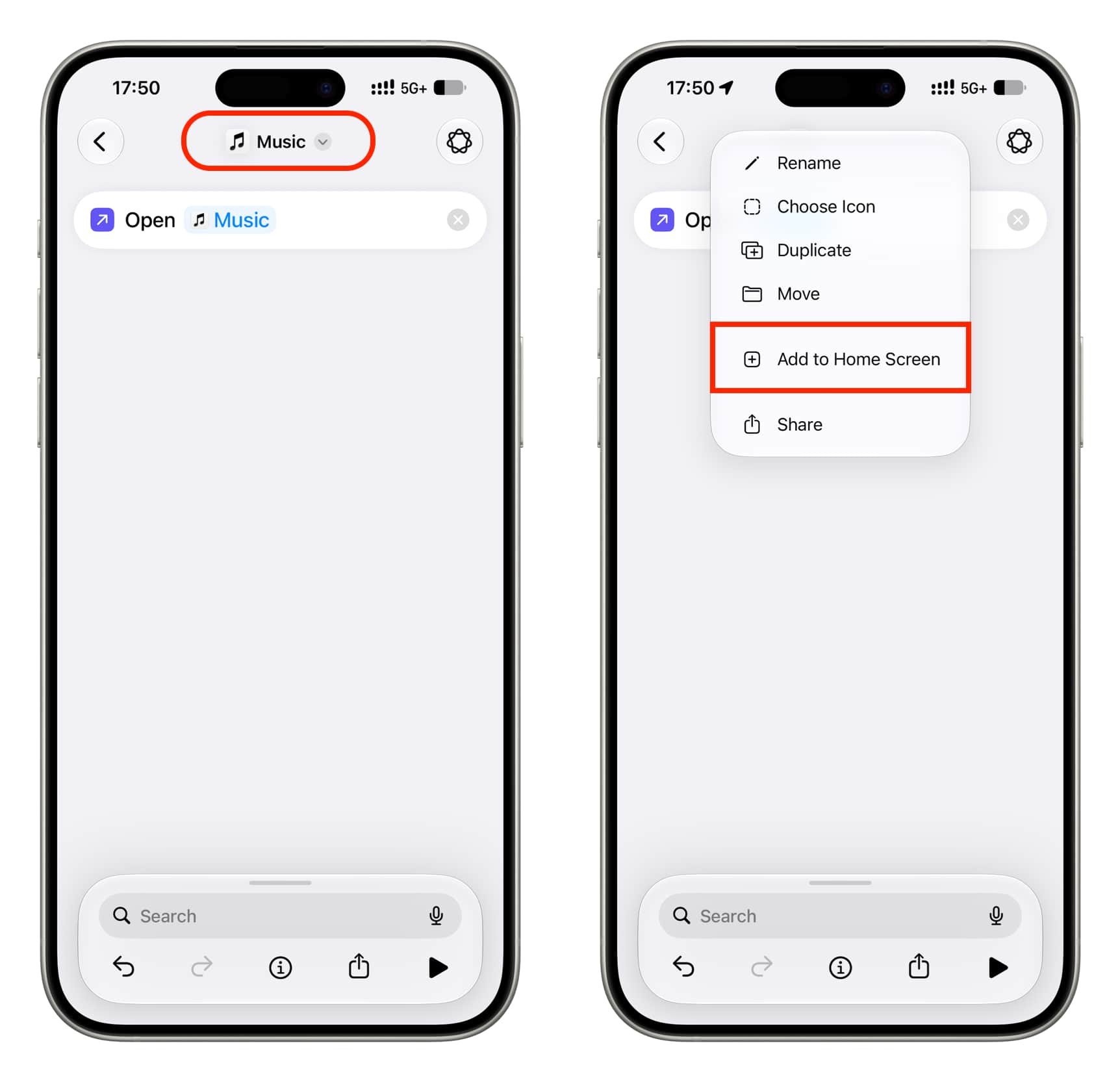
- Tap the shortcut name, rename it Music, then tap the name again and choose Add to Home Screen.
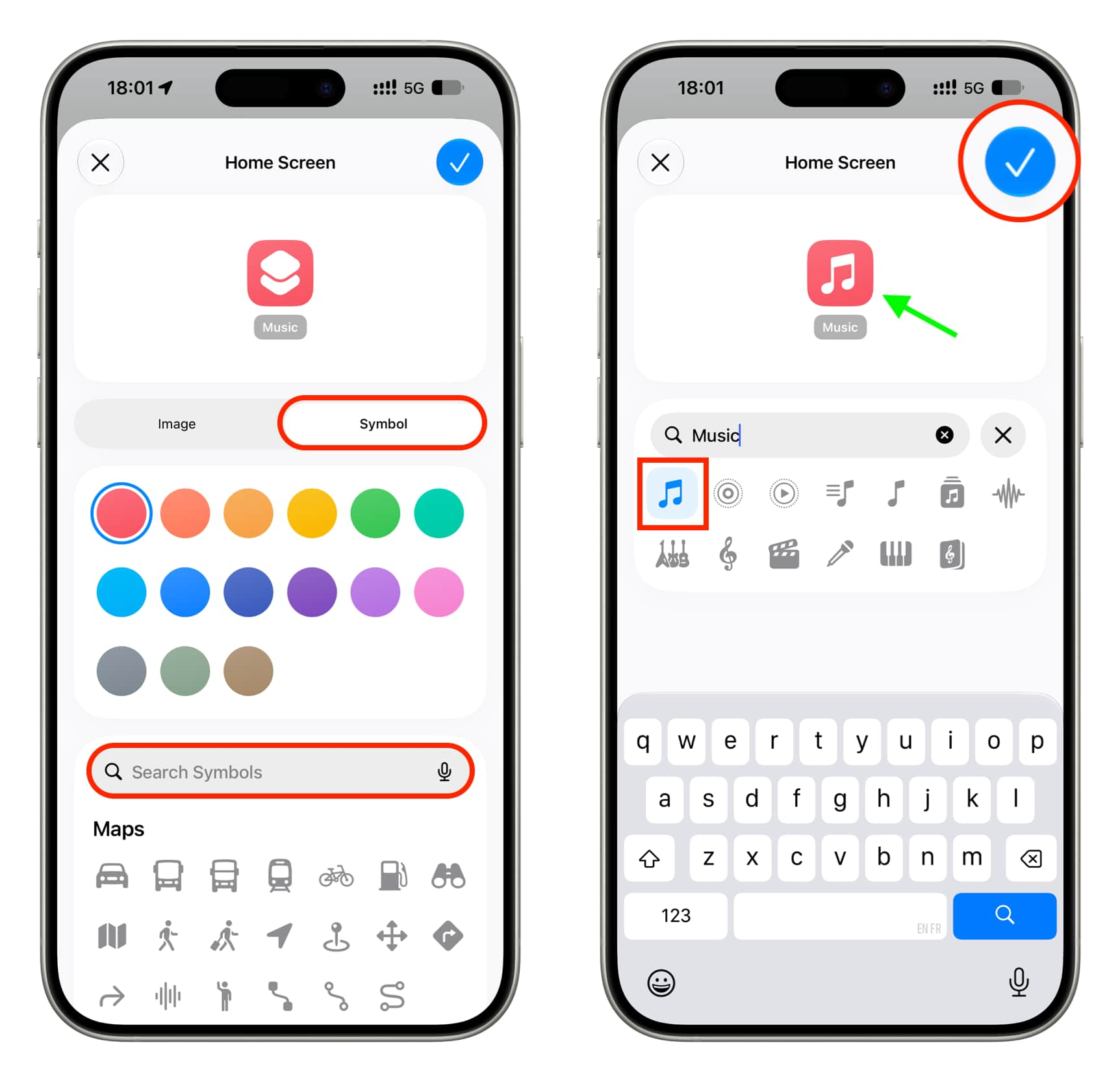
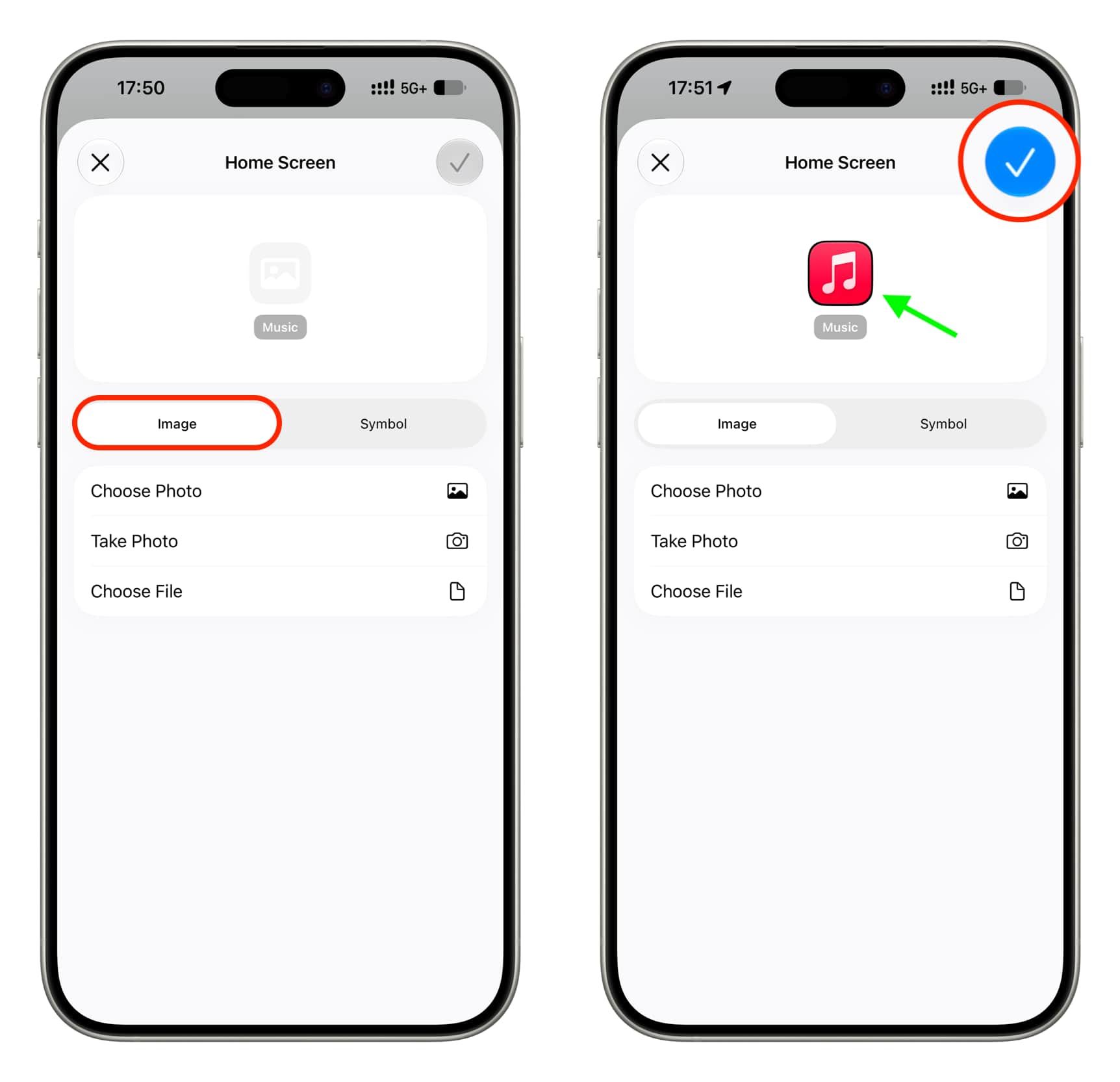
- For a similar red icon, stay on the Symbol tab, select red, search for a music symbol and choose it. Alternatively, if you have an image of the original icon saved in Photos or Files, use the Image tab to select and crop it. Tap the checkmark to add the shortcut.
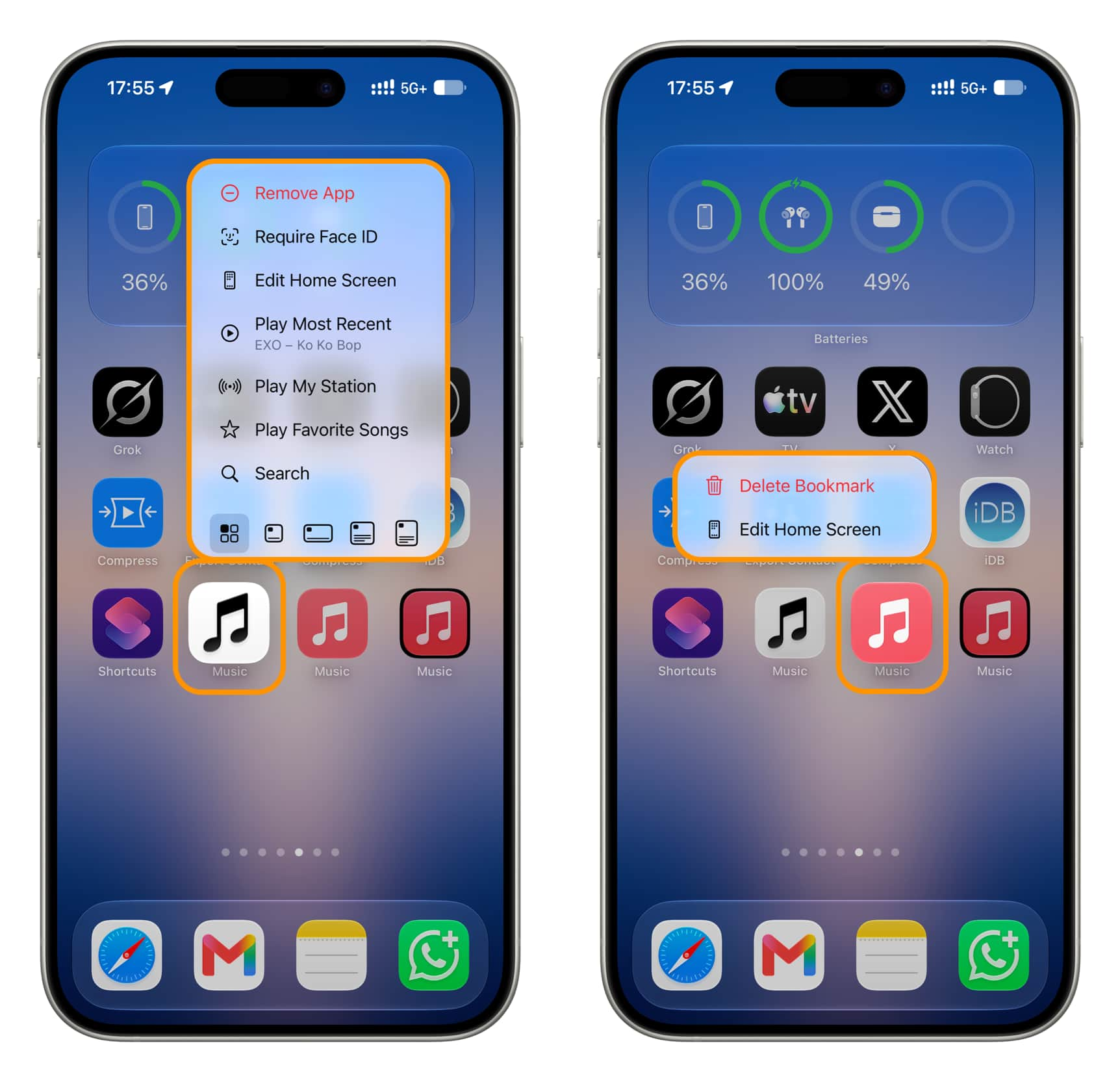
- If you want only one Music icon on the Home Screen, remove the black-and-white app icon from there. Tap the new red shortcut to open Music.
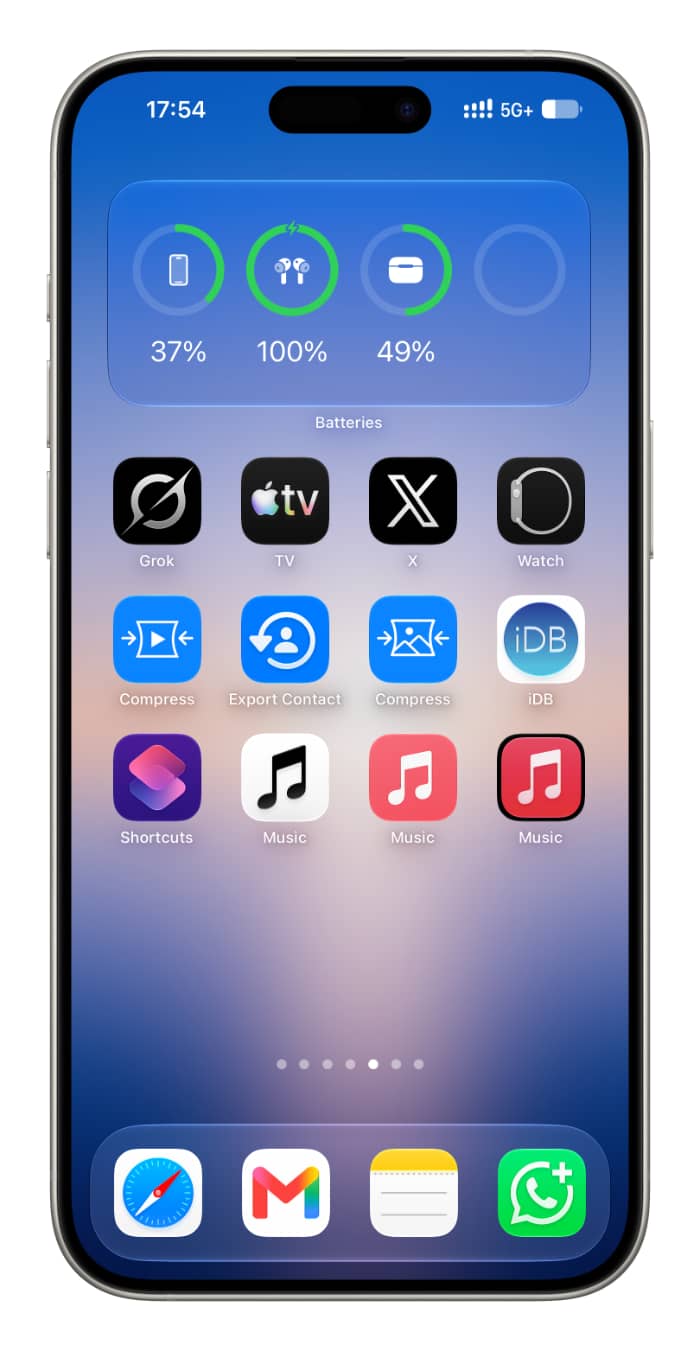
There are trade-offs: the shortcut does not have the Music app’s touch-and-hold quick actions. The app retains its own icon in App Library, where the guide says the alphabetical view will show two Music entries. A transparent PNG used for the shortcut may also produce a thin black outline. This approach is for iOS 27 and iPadOS 27; the guide says it is of little use on macOS and is not possible on tvOS.